


Homer: The Home Management App
3.321.00 Reviews
App Specs
- Version
- 3.9.28
- Updated On
- License
- Free
- Downloads
- 50,000+
- Developer
- Homer.co
- Categories
- House & Home
- Platform
- Android
Screenshots

 Analysis by AppCompare
I judge a home-management app less by how many chores it claims to organize and more by whether it helps me make sensible decisions without turning ordinary household details into another source of stress. Homer: The Home Management App is aimed at keeping home responsibilities together, but my cautious approach is to treat it as a planning aid—not as a substitute for checking bills, confirming appointments, or deciding what information I am comfortable entering.
What to check before adding household details
Home apps can involve information about routines, repairs, purchases, and the people who help maintain a property. I would start with the parts of Homer I actually intend to use, rather than filling in every detail simply because a setup screen makes it convenient. A basic task list can be useful without turning the app into a complete record of a household.
That distinction matters if you share a home. Before adding details that concern someone else, I would agree on what belongs in a shared record and what should stay private. The practical benefit is fewer forgotten jobs; the trade-off is that a more complete record can reveal more about how a household runs.
Make the first trial deliberately small
My recommended first test is one recurring responsibility, such as checking a filter or remembering a routine payment. Keep the reminder simple and see whether it arrives at a useful time and is easy to act on. If the workflow saves effort, expand it gradually. If it feels like extra administration, there is no need to transfer every household routine into the app.
I would also avoid treating a reminder as proof that a payment has been made or a repair has been completed. A notification can prompt the next step, but I would still confirm important actions through the relevant biller or service professional. That small habit prevents a task list from becoming a false sense of security.
Getting Started with Homer
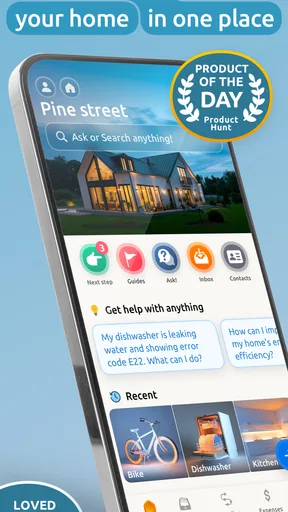
First off, downloading Homer: The Home Management App is a breeze. It's available on both Android and iOS, so no matter what device you have, Homer’s got you covered. Once downloaded, setting up your home profile is quite intuitive. You simply enter your home’s details, like the number of rooms, and what needs managing. The app is user-friendly, with a clean interface that even the least tech-savvy among us can navigate.
Homer is a free House & Home app from Homer.co, with optional in-app purchases priced from $4.99 to $69.99 per item. It is rated for Everyone and has a 3.3 average from 231 ratings, with 21 written reviews and over 10K installs. It first appeared on October 21, 2019, and version 3.9.18 requires Android 10 or newer. That modest rating is a reason to try it with a specific need in mind instead of assuming the app will suit every household.
Worth Reading Before You Choose

EA SPORTS FC Mobile 26 Is a Bigger Football Game, but It Takes Time

Flipboard Shows What News Apps Must Do Beyond the Feed

Switching to Android Auto Means Rethinking Your Driving Routine

Google Calendar Makes a Crowded Week Easier to Manage

Ludo King Makes the Most of the Minutes Between Plans

Baby Panda World Brings Quick Play to Modern Phones, but Its Game Library Feels Busy
One thing I immediately noticed was how well it integrates with other apps. Whether it’s syncing up with your calendar or connecting with your smart home devices, Homer makes sure everything is in one place. It’s like having a personal assistant who knows all about your home!
Features That Stand Out
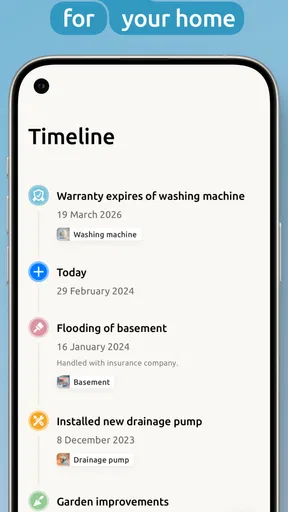
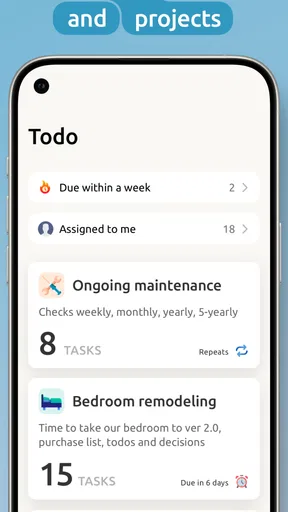
Onto the features that really make this app shine. Among them, the task scheduler is a lifesaver. You can set reminders for chores, bill payments, or even maintenance checks. Imagine never forgetting to pay the electricity bill again! The app uses notifications that you can customize, so you're not bombarded with alerts.
For a more grounded trial, I would choose a maintenance job with a clear next action: schedule a check, note what needs doing, then mark it complete only after it is genuinely finished. This makes the task list useful as a record of follow-through, not just a pile of good intentions. For bills, I would use reminders as prompts to check the account, rather than storing sensitive payment details unless I had a clear reason to do so.
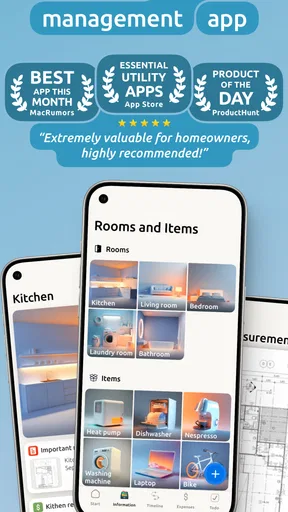
Another cool feature is the inventory tracker. You can keep tabs on your groceries, cleaning supplies, or anything else you might need to stock up on. This feature is a godsend for those of us who always find ourselves at the supermarket wondering if we’re out of milk.
Inventory tracking works best when I keep the list focused on items that are easy to forget or inconvenient to run out of, rather than attempting a perfect count of everything in the house. A short list of staples can be checked before shopping; a detailed record of every cupboard can take longer to maintain than it saves. If the app lets me organize what I track, I would use that choice to separate frequently replenished basics from occasional supplies.
Homer also offers a service provider directory. Need a plumber or electrician? The app has a list of local professionals complete with reviews and contact information. It’s super convenient and saves you the hassle of sifting through endless Google searches.
I would still treat a directory entry as a starting point, not an endorsement. Before booking, I would compare the provider’s details with other available information, ask about the scope and cost of the work, and confirm the appointment directly. That extra check is especially worthwhile for urgent repairs, where convenience can make it tempting to accept the first option shown.
Choosing the right role for the app
Homer makes the most sense for someone who wants household tasks, basic inventory notes, and repair contacts gathered in one place. It may be particularly handy for a person who has recently moved and is building a maintenance routine, or for a busy household where small recurring jobs tend to slip through the cracks. It is less compelling if you already have a reliable calendar and checklist system that everyone at home actually uses.
Compared with a standard calendar, Homer’s appeal is the home-focused organization: household jobs and supplies have a natural place alongside maintenance needs. A calendar may still be better for appointments that must fit around work or family schedules. Compared with a notes app or spreadsheet, a simple list can be quicker to customize and easier to share in a way that suits a household. I would choose Homer when keeping these home-related pieces together is the main problem, not just because an all-in-one tool sounds attractive.
A realistic use case is a Saturday morning before a grocery run. I can check the household items I tend to forget, notice a maintenance reminder, and add the next step for arranging a repair. The benefit is not that the app magically completes any of those jobs; it is that I have a single place to check before the day gets busy. To keep that routine from becoming a chore of its own, I would update only the items that affect the next decision.
There are also practical questions to consider before relying on it. Is a paid option worthwhile? I would first use the free app for the specific workflow I need and consider an in-app purchase only if I understand what it adds and expect to use it regularly. Does it replace a calendar? Not necessarily: I would keep time-critical appointments in whichever calendar I already check consistently. Is it suitable for a shared home? It can help organize responsibilities, but I would first establish who maintains the list so reminders do not become duplicated or neglected.
Why Homer is a Game-Changer
So, why should you choose Homer over other home management apps? For one, its all-in-one approach is unmatched. The seamless integration of tasks, inventories, and service providers makes managing your home not just easy but enjoyable. You’ll find yourself wondering how you ever managed without it!
In practice, I would not call any one approach unmatched for every user. Putting several household tools together can reduce app-switching, but it also means the app has to fit more than one kind of job. Someone who only wants recurring reminders may be better served by a familiar calendar; someone who wants a custom shared checklist may prefer a notes tool. Homer’s advantage is most convincing when its home-oriented combination matches a real routine.
Moreover, the app offers a personalized experience. As you use it, Homer learns your preferences and suggests tasks or services that might interest you. It’s like having a home management expert in your pocket. Plus, the app's design is sleek and modern, making it pleasant to use.
Personalized suggestions are useful only when they remain relevant to my home and do not distract from the tasks I came to handle. I would judge them over time by whether they help me notice a sensible next step, rather than assuming every suggestion deserves attention. If recommendations add noise, the app’s value should still rest on the practical lists and reminders I choose to maintain.
Final Thoughts
If you’re tired of juggling home responsibilities and want a tool that can help streamline everything, Homer: The Home Management App is definitely worth a try. It's packed with features yet remains incredibly user-friendly. Whether you’re managing a large family home or a cozy apartment, Homer adapts to your needs.
My recommendation is a measured one: try Homer if you want a home-specific place to organize recurring jobs, household supplies, and repair leads, but begin with a small set of tasks. I would skip it if you need a strict financial system, a guaranteed record of completed work, or a household workflow that depends on controls you have not personally checked. Before entering sensitive details, review the choices the app presents and keep only what is needed for the routine you want to manage.
In a world where time is precious, having an app like Homer to help manage your home can free you up to focus on what really matters. Give it a go, and you might just find it becomes an essential part of your routine. Download it today and watch your home management stresses melt away!
I would finish by keeping expectations practical. A reminder can make a forgotten chore less likely, an inventory list can make a shopping trip smoother, and a directory can give you a place to start looking for help. None of those removes the need to verify a bill, inspect a repair, or decide what household information to record. If Homer makes those everyday decisions easier without creating more upkeep, it has earned a place in my routine; if it does not, a plain calendar and a short checklist remain perfectly reasonable alternatives.
Pros
- User-friendly interface
- easy navigation.
- Comprehensive task management features.
- Integrates with smart home devices.
- Customizable reminders and alerts.
- Secure data encryption for privacy.
Cons
- Limited free version features.
- Requires stable internet connection.
- No offline mode available.
- Occasional sync issues reported.
- Subscription is relatively pricey.
FAQs for Homer: The Home Management App
What is Homer: The Home Management App, and what features does it offer?
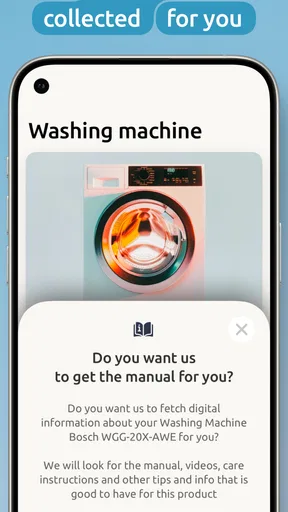
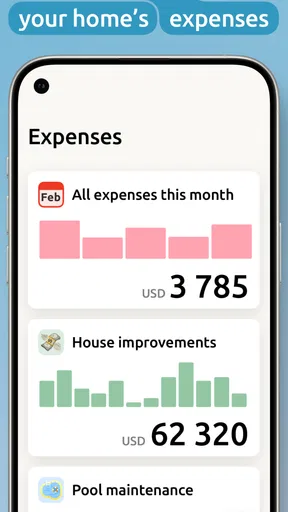
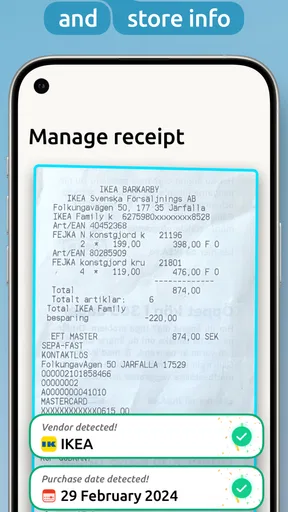
Homer is a comprehensive home management app designed to streamline household tasks and improve organization. It offers features such as customizable to-do lists, maintenance reminders, budgeting tools, and document storage. The app aims to help users efficiently manage their homes by keeping everything in one accessible place.
Is Homer available on both Android and iOS devices?
Yes, Homer is available for download on both Android and iOS platforms. Users can find it on the Google Play Store and Apple App Store. The app is designed to deliver a seamless experience across various devices, ensuring that users can manage their homes anytime, anywhere.
Does Homer require a subscription, or is it free to use?
Homer offers a free version with limited features, allowing users to explore the app’s basic functionalities. For a more comprehensive experience, including advanced features and tools, users can opt for a premium subscription. Pricing details are available within the app, providing flexibility based on user needs.
How does Homer ensure the security of my personal information?
Homer prioritizes user privacy and data security by implementing robust encryption methods to protect personal information. The app adheres to industry standards and best practices, ensuring that data such as household documents and financial information remain secure and confidential at all times.
Can multiple family members use Homer simultaneously?
Yes, Homer supports multiple user accounts, allowing family members to collaborate and share tasks efficiently. Each member can have their own login, and the app syncs data in real-time, ensuring everyone is on the same page when managing household responsibilities and schedules.


